 SuperRod
SuperRod Scanner · Whatnot · Pokémon TCG
Know which card it is
before you bid.
SuperRod reads the card in the Whatnot stream, suggests its edition and shows a price reference with its source and date. It also works on any website with cards.
You confirm the edition. The price is a catalog reference, not a confirmed sale.
Desktop browser · Store publication pending
 Tested with photos of Whatnot streams, on a local test page.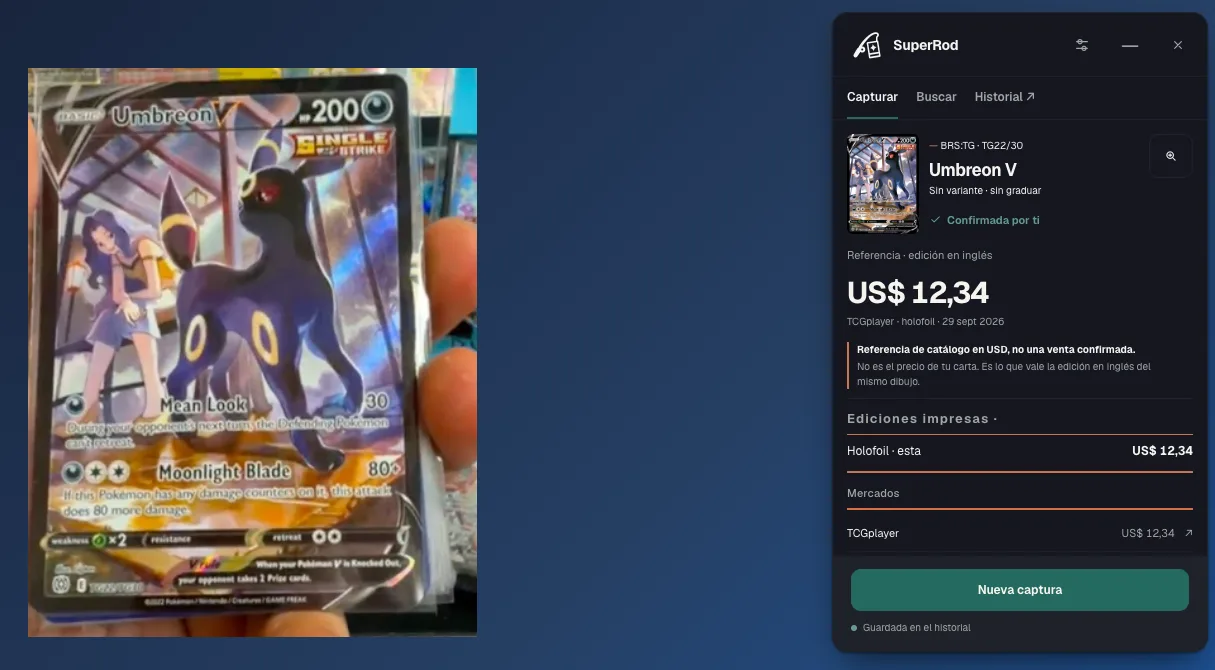
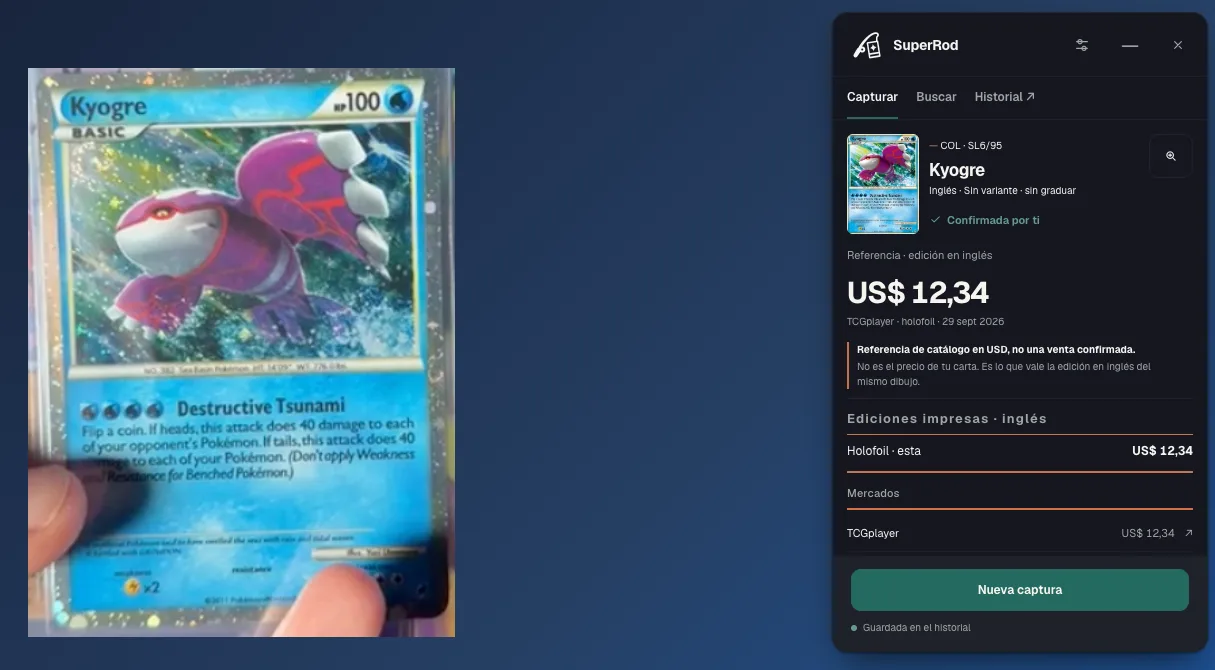
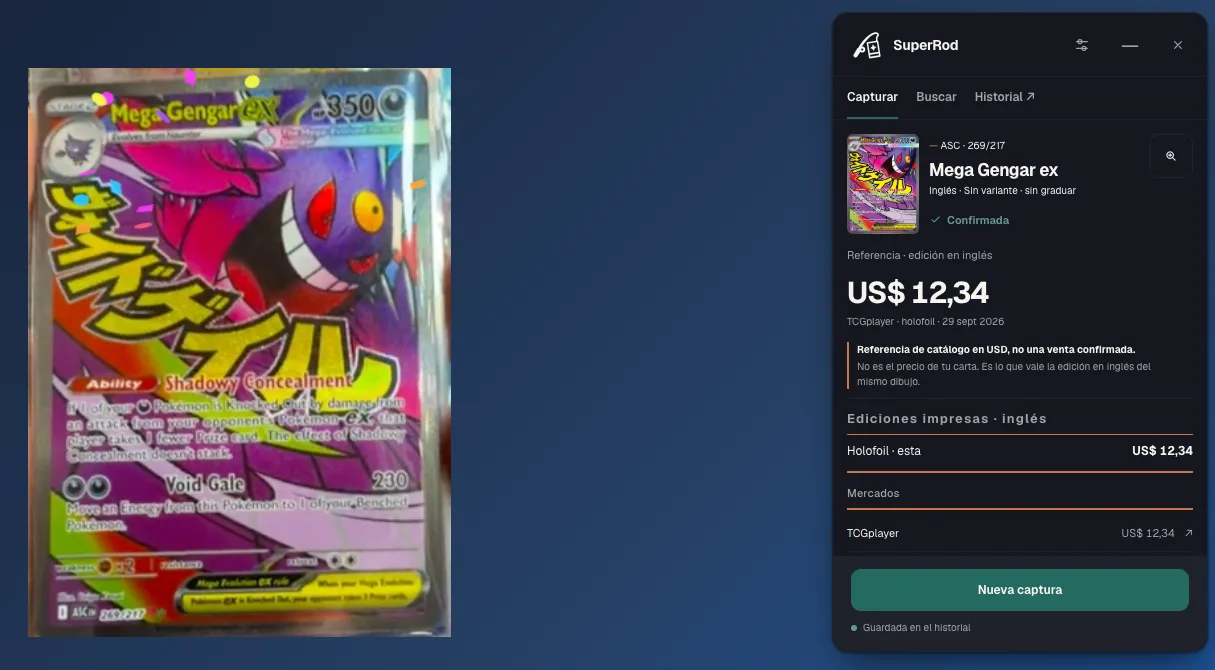
Real captures from October 25, 2026 · SuperRod 0.7.1 on a local test page with photos of Whatnot streams. The test script confirmed the edition, as a person would. Catalog references in USD, not confirmed sales.
Why it exists
Same artwork,
another edition, another price.
In a stream the same artwork shows up in several editions, and each one has its own price. Comparing them by hand while the seller keeps talking is slow. SuperRod reads the card, suggests the edition and shows the reference with its source and date. The decision is yours.
How it works
You confirm
the edition.
- 01Open the streamWhatnot in Chrome, or any website with cards.
- 02Capture the cardFrame the card on screen. You choose what to capture.
- 03Confirm the editionSuperRod suggests the card and its editions; you confirm and see the reference.
References with context
Reference price,
with its source and date.
A name is just the beginning. When a comparison is available, check its source and the printing before you decide.

Charizard ex
Paldean Fates · 054/091
Printing: Holofoil
- Magic & Monsters · Store price
- US$4.50
- TCGplayer · Market reference
- US$4.25
Reference dated Oct 19, 2026 · USD
Real store example with a configured connection. Historical prices; a reference is not a completed sale.
One card · any website
Identify one card
on any website.
An eBay listing, a store, or a page you’re exploring. Select a card image or capture its area: SuperRod helps you put a name and an edition to it.
- Select an image or capture an area
- Check the set, number and language
- Revisit readings in your local history


✓ Confirmed match
Charizard ex
151
199/165 · English
Scan page · several offers
Read a store's offers
in one pass.
A page full of cards shouldn’t mean a separate search for every one. Scan its visible offers and explore available references without losing the store’s context.
- Read several visible offers at once
- Open references when comparisons are available
- Check edition and condition before comparing
- Store price
- US$4.50
- TCGplayer reference
- US$4.25
Charizard ex · 054/091 · Holofoil · Reference dated Oct. 19, 2026
Visible offers read in this captureAvailable references and offers without a comparison
Coverage
Whatnot today.
More streams later.
Capture cards on web pages and explore store offers. Livestream identification starts with Whatnot.
- Beta · Livestreams
Identify the card that appears on screen.
- eBay Live · Coming soon
Listing photo capture is already supported. Livestreams come later.
- TikTok Live · Coming soon

Another way to discover cards, on the horizon.
Pokémon TCG · eBay Live and TikTok planned, with no announced date. Compatibility and references depend on coverage.
Access and data
What data it uses
and how to get access.
The Chrome Web Store release is being prepared. Ask support about access and what each feature needs.
Ask about access- Where it works
- Desktop extension. Capture a card on Whatnot or another website, or scan visible offers. Protected pages may restrict capture.
- Price references
- Require a configured service connection. Support confirms the available access terms and limits.
- Your history
- Individual readings stay in local history; you can export or delete them. Page scans are not saved to history.
Before you start
Frequently asked questions
What to know before trying the extension.
Does it work outside Whatnot too?
Yes. Select a card image or capture an area on web pages, such as an eBay listing. Restricted browser pages and protected content may prevent capture. This is separate from eBay Live, planned for later.
What does “Scan page” do?
It reads several visible store offers and shows references when comparisons are available. It does not automatically crawl an entire catalog or guarantee every offer will be recognized. Market references require a configured service connection; check edition and condition before comparing.
Does it work in the Whatnot mobile app?
This extension is designed for Whatnot in your desktop browser. SuperRod Dex is a separate product; installing one does not install the other.
Which cards can I identify?
This version focuses on Pokémon TCG. Check the suggested set, number, language and printing against the card you see.
What if the card is blurry?
Movement, glare and obscured areas can make reading harder. Look for a clearer view and check the match; an identification can be wrong.
Where do price references come from?
They depend on the available source and coverage; some features require a configured service connection. Check edition, language and condition. A reference is not a completed sale or a guaranteed price. The Whatnot example does not show a selected price.
Can I revisit cards I’ve already read?
Individual readings are saved in the extension’s local history. You can review, export or delete them. Page scans are not saved to history. This does not imply synchronization with SuperRod Dex.
Can I install SuperRod yet?
Chrome Web Store publication is pending. The installation button shows the current status and lets you explore the demo while the store link is being published.
What data leaves my browser?
Identification starts in your browser. With a configured service connection, assistance may send cropped name and number strips, or a small card image, to the backend and AI providers. Scan page reference lookups send card or product identifiers and language, not the store URL, images or prices. Support and privacy: cardochoo@gmail.com.
Install the Scanner
when it is available.
Also from SuperRod